Power On the Device
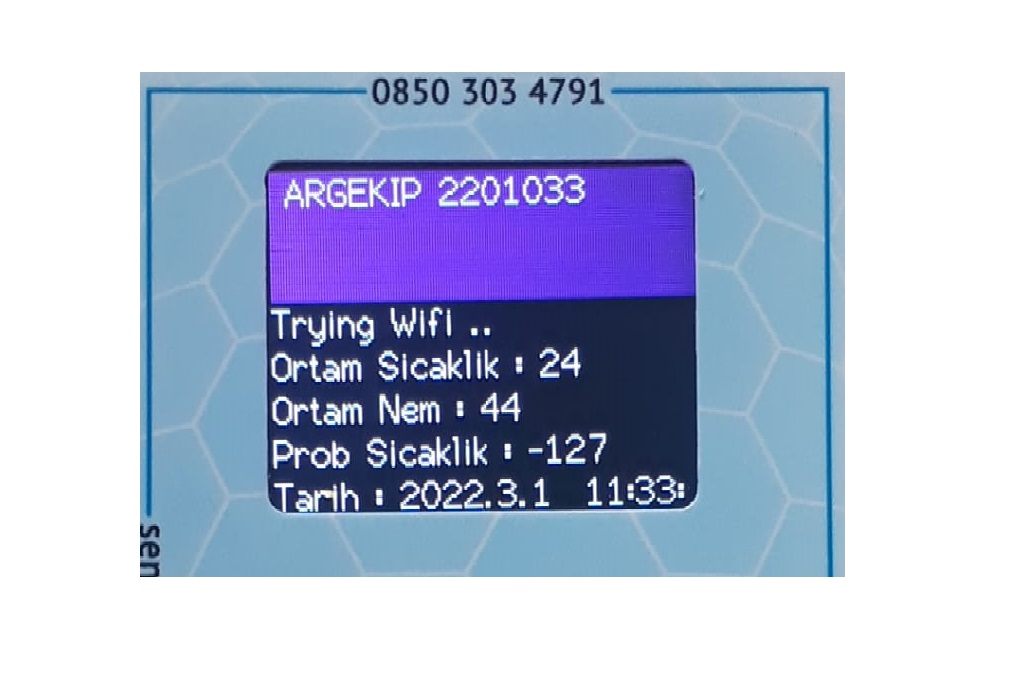
Connect the sensor cable to the device and power it on. Wait until the "Trying Wifi" message appears on the device screen.
Connect to the ArgekipSys Network
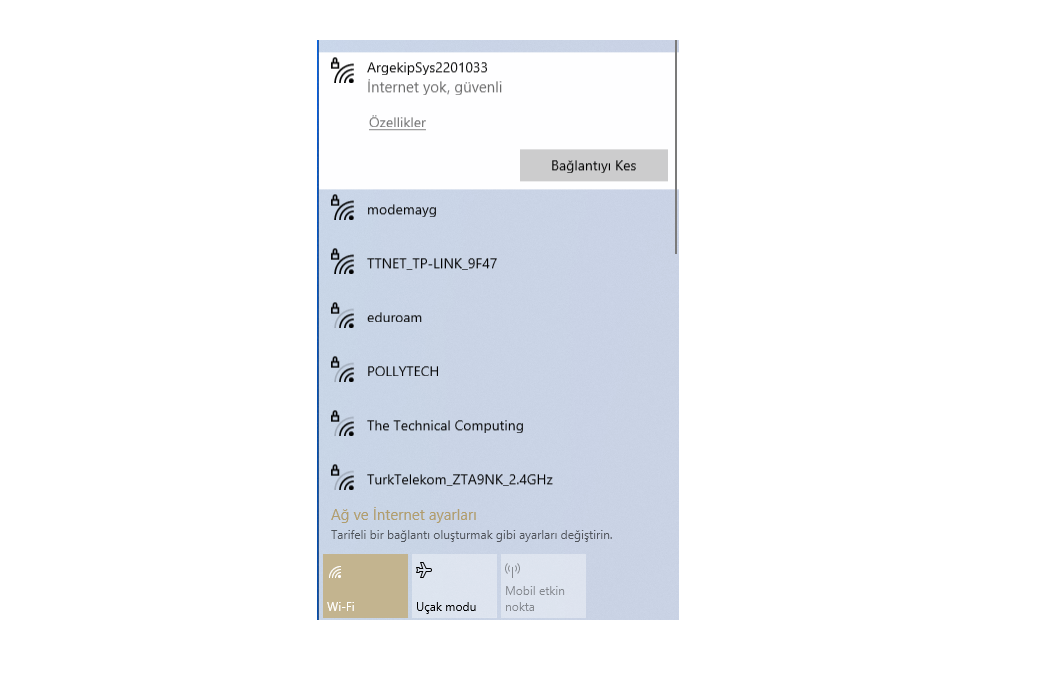
Turn off mobile data. From your phone or computer's Wi-Fi settings, find the ArgekipSys network and connect using the password below.
Open the Configuration Page
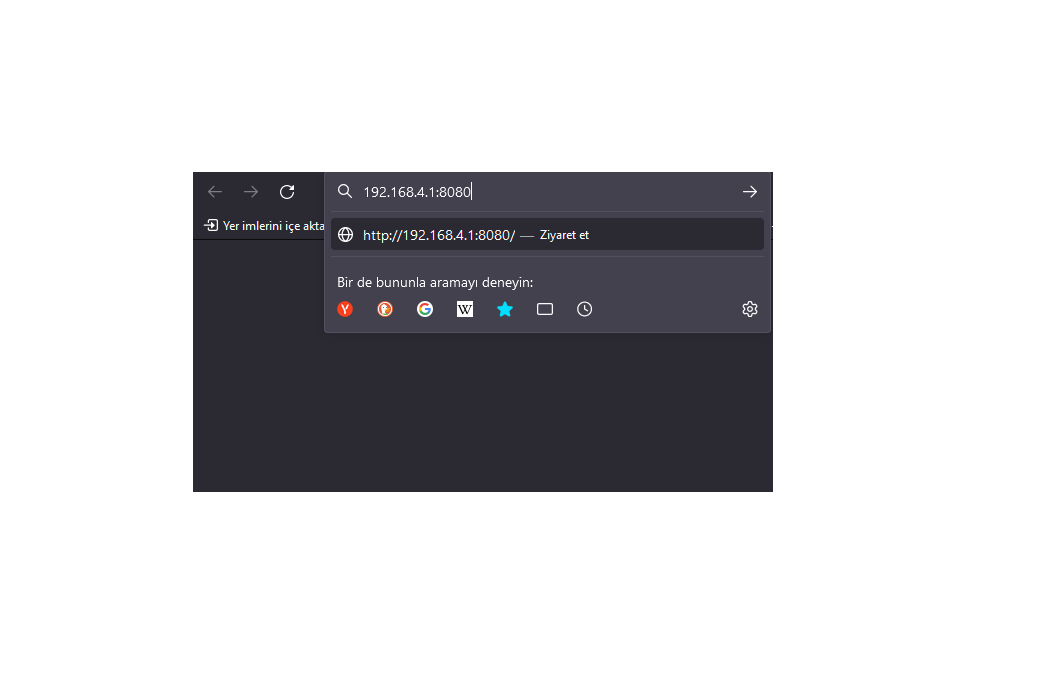
After connecting to the ArgekipSys network, go to the following address in your browser.
Name Your Device
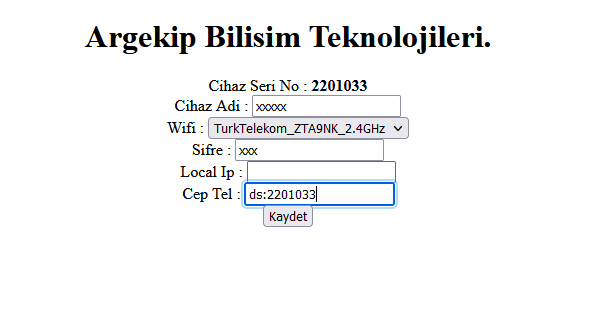
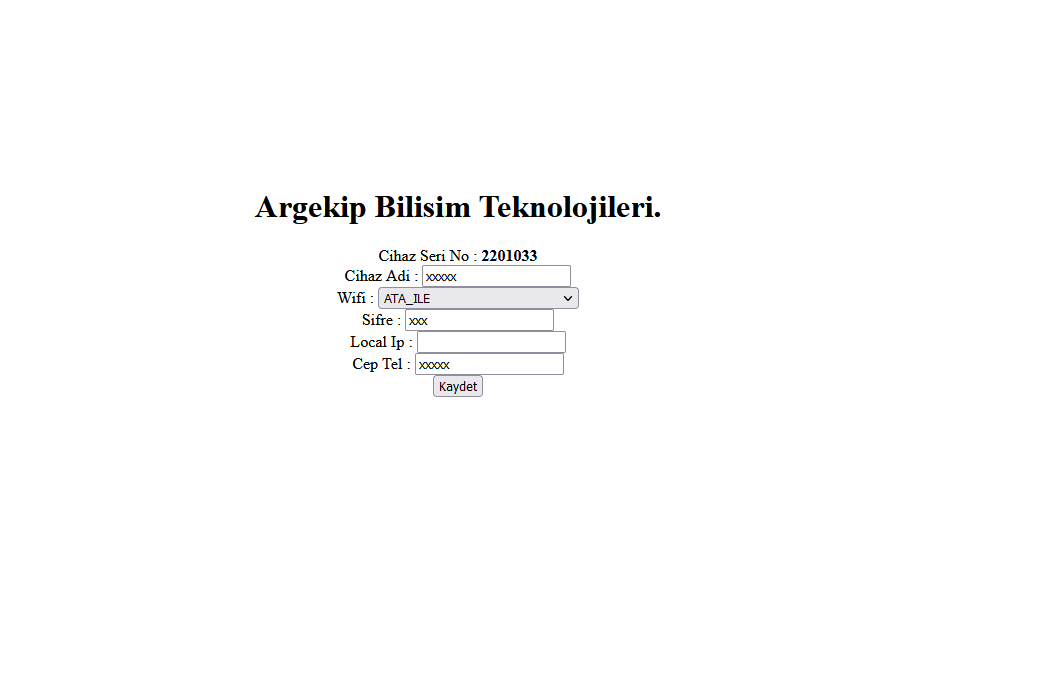
On the opened page, assign a name to your device. Do not use special characters (non-ASCII letters). Pay attention to uppercase and lowercase distinctions.
Enter Network Details and Save
Enter the Wi-Fi name and password you want to connect to. Add your mobile phone number for SMS notifications. Leave the Local IP field blank. Press the save button — the device will connect to the network within 1-2 minutes.
Important: During configuration, mobile data and other Wi-Fi connections on your phone or computer must be turned off. Otherwise, the device may not be found.
Need Help?
If you experience any issues during setup, contact our technical support team.
Contact Us