Download and Install the Software
Download and run the ViopiSys setup file. Follow the installation wizard to install the ViopiSys_Setup.msi package on your computer.
Download ViopiSys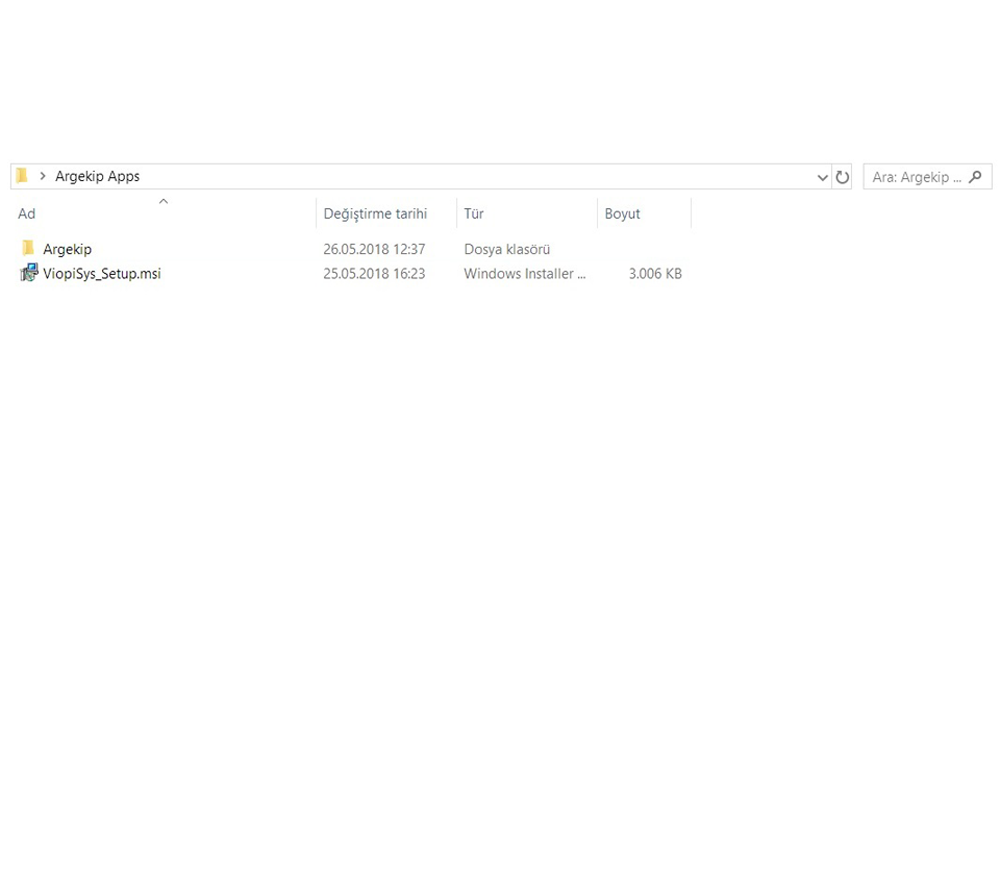
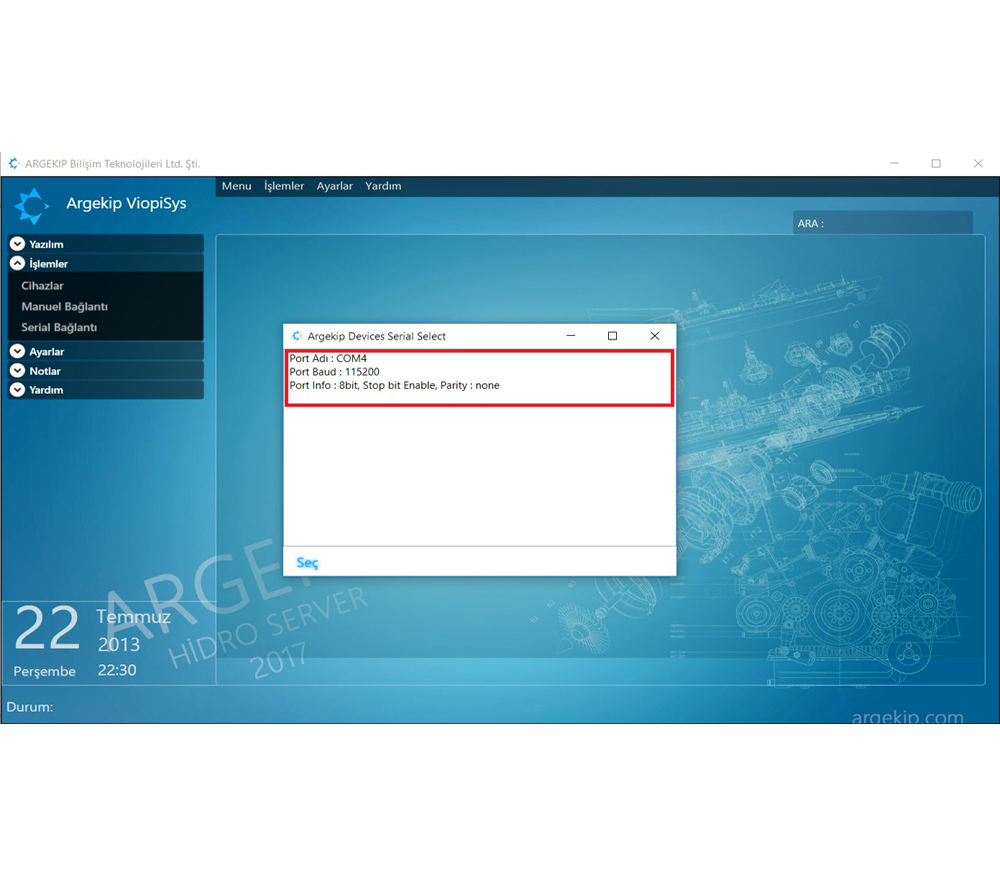
Launch the Software
Start the ViopiSys application. On the opened screen, select the COM Port to configure the serial connection. Make sure your device is connected to the computer.
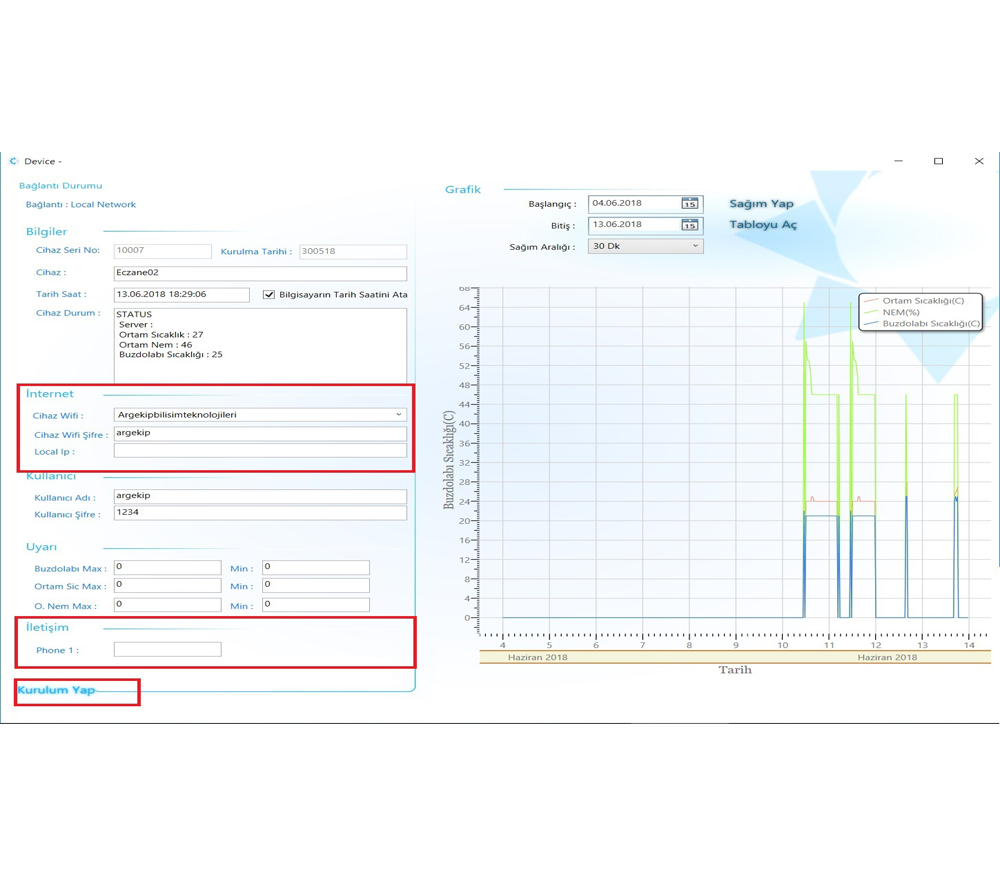
Connect the Device to the Network
Select the Wi-Fi network you want to connect to and enter its password. Add your phone number if you want to receive SMS notifications. Press the save button to transfer the settings to the device.
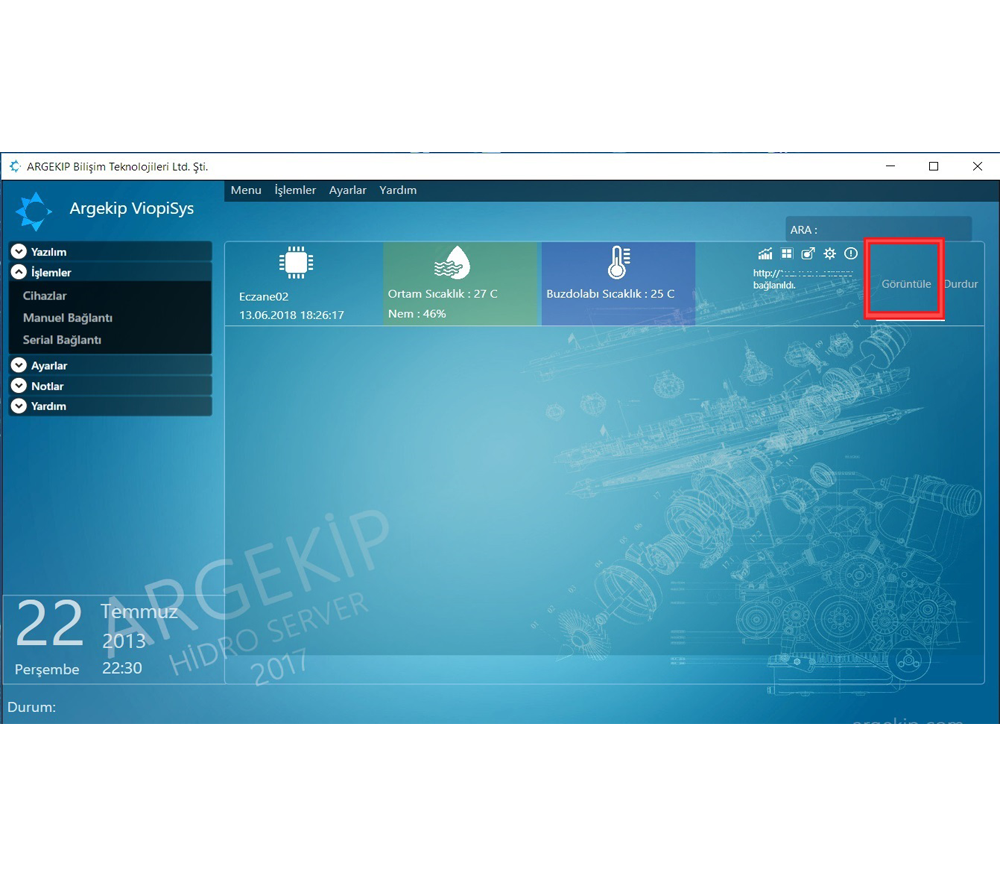
Monitor the Device
After setup is complete, your device will appear in the system. You can monitor real-time temperature, humidity, and other measurement data on the screen.
Reporting
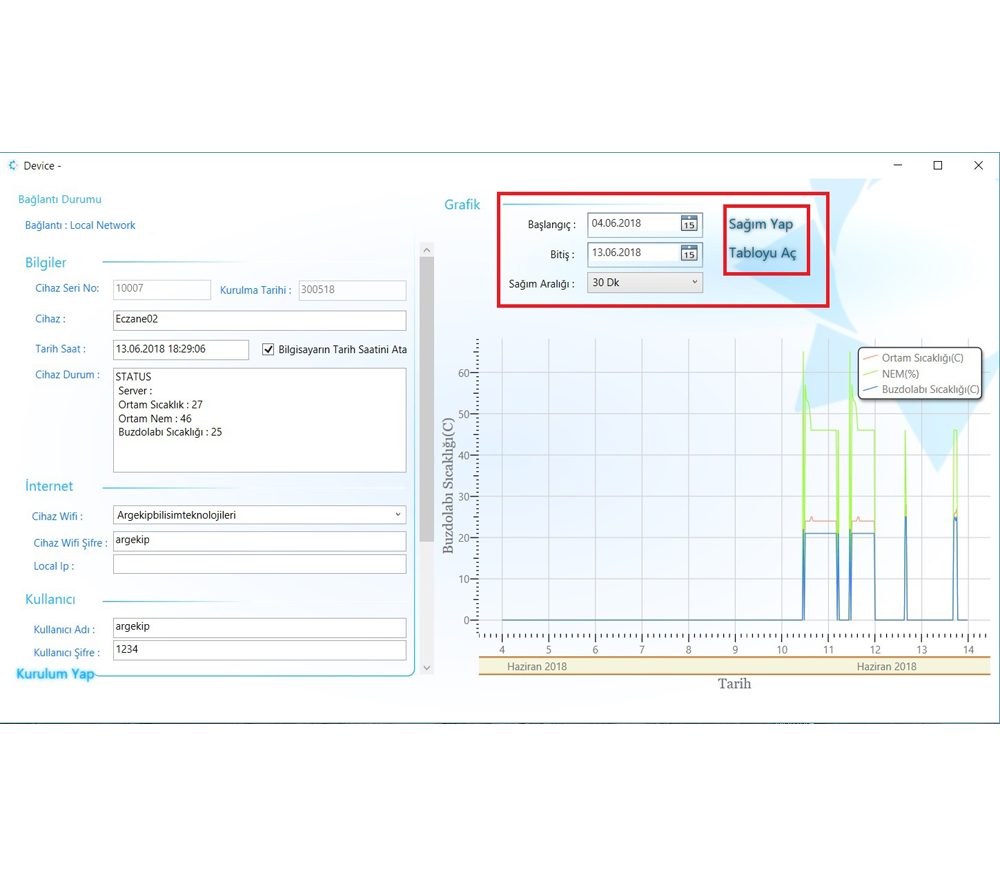
From the reports tab, you can access historical data by specifying a date range. You can save reports in Excel or PDF format to your computer.
Need Help?
If you experience any issues during setup, contact our technical support team.
Contact Us